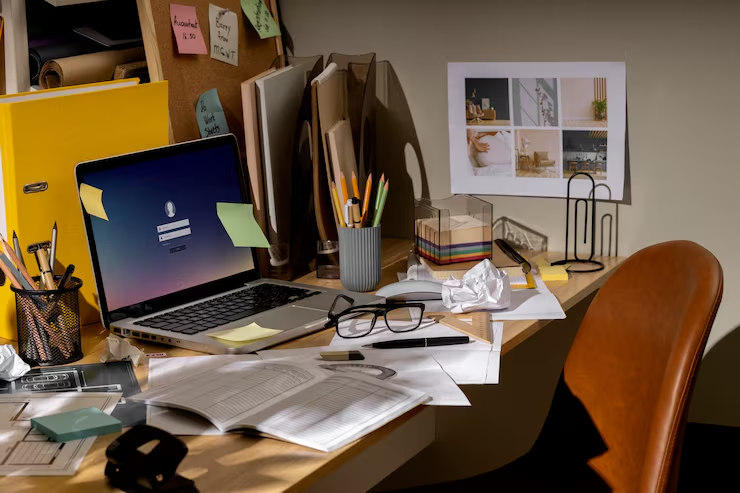
The rise of remote work has transformed how people approach their daily routines and work environments. Whether you’re a freelancer, entrepreneur, remote employee, or hybrid worker, having a well-designed home office setup is essential for maintaining productivity, comfort, and focus throughout the day.
A thoughtfully planned workspace can help reduce distractions, improve posture, enhance workflow efficiency, and support long-term wellbeing. While many people initially work from a kitchen table or living room couch, creating a dedicated office space can dramatically improve both professional performance and overall job satisfaction.
In this guide, we’ll explore the key components of the best home office setup, including furniture, technology, lighting, organization, and personalization strategies that can help you create a workspace designed for success.
Why a Proper Home Office Setup Matters
A home office is much more than a desk and a computer. It serves as your professional environment, productivity hub, and daily workspace. The quality of your setup directly impacts your ability to concentrate, stay organized, and perform effectively.
Working from an uncomfortable or poorly organized space can lead to physical discomfort, mental fatigue, and decreased productivity. On the other hand, a dedicated and ergonomic workspace helps establish clear boundaries between work and personal life while promoting healthier work habits.
A proper home office setup supports both your professional goals and your physical wellbeing, making it one of the most valuable investments remote workers can make.
Improved Productivity and Focus
A dedicated workspace minimizes distractions and helps your brain associate the environment with work-related tasks, making it easier to stay focused throughout the day.
Better Work-Life Balance
Creating a separate office space helps establish boundaries between work and home life, reducing the risk of burnout and improving overall wellbeing.
Choosing the Right Desk
Your desk serves as the foundation of your entire workspace. It supports your computer, accessories, documents, and daily workflow. Selecting the right desk can significantly improve both comfort and productivity.
The ideal desk should provide ample surface area, support proper posture, and fit comfortably within your available space. It should also accommodate your work style and equipment requirements.
Best Desk for Remote Work
Standing desks have become increasingly popular among remote professionals because they offer flexibility and encourage movement throughout the day.
The ability to alternate between sitting and standing can help reduce fatigue, improve circulation, and support healthier posture during long work sessions.
Benefits of a Standing Desk
Standing desks allow users to adjust their working position throughout the day, helping reduce the negative effects of prolonged sitting and promoting greater physical comfort.
Traditional Desk Options
For those who prefer conventional workstations, spacious ergonomic desks provide excellent functionality while maintaining a clean and professional appearance.
Ergonomic Office Chairs for All-Day Comfort
One of the most important components of any home office setup is a supportive office chair. Since most remote workers spend several hours sitting each day, investing in an ergonomic chair can have a significant impact on comfort and long-term health.
A quality office chair helps maintain proper spinal alignment, reduces pressure on joints, and supports healthy posture during extended periods of work.
Features of a Good Ergonomic Chair
Look for chairs that offer adjustable seat height, lumbar support, armrests, and reclining functions. These features allow you to customize the chair to fit your body and working style.
Benefits of Proper Seating Support
Proper seating helps reduce back pain, neck strain, and muscle fatigue while improving concentration and productivity throughout the day.
Technology Essentials for a Home Office
Technology forms the backbone of every productive home office. Whether you’re attending virtual meetings, managing projects, creating content, or communicating with clients, reliable equipment is essential.
Choosing the right technology ensures smoother workflows, improved efficiency, and fewer interruptions caused by technical issues.
Best Computers for Home Office Use
The ideal computer depends on your profession and workload. Creative professionals often require more processing power, while general office workers may prioritize portability and battery life.
Selecting a reliable computer that meets your performance needs helps maintain productivity and supports long-term efficiency.
Importance of Reliable Internet Connectivity
Fast and stable internet access is critical for remote work. Video conferencing, cloud-based applications, and file sharing all depend on reliable connectivity.
Investing in quality networking equipment can improve connection stability and reduce workflow disruptions.
Best Monitors for Remote Work
Many remote workers experience a significant productivity boost when using external monitors. Additional screen space allows for better multitasking, easier document management, and reduced need to switch between applications.
Proper monitor placement also contributes to better ergonomics by reducing neck strain and promoting healthier posture.
Benefits of Larger Displays
Larger monitors make it easier to manage multiple windows simultaneously, improving efficiency and reducing visual fatigue.
Adjustable Monitor Positioning
Monitor stands and adjustable arms allow users to position screens at eye level, supporting comfort during extended work sessions.
Keyboards and Mice for Comfort and Precision
Input devices play a major role in daily comfort and productivity. Using ergonomic keyboards and mice can help reduce wrist strain and improve typing efficiency.
Workers who spend significant time typing or navigating digital applications often benefit from upgrading to more comfortable peripherals.
Ergonomic Keyboard Benefits
Ergonomic keyboards encourage a more natural hand position and can reduce stress on wrists and forearms during long typing sessions.
Choosing the Right Mouse
An ergonomic mouse provides greater comfort, precision, and control while reducing repetitive strain associated with traditional designs.
Lighting: An Often Overlooked Upgrade
Lighting has a direct impact on productivity, eye health, and workplace comfort. Poor lighting can contribute to headaches, eye strain, and reduced concentration.
Creating a balanced lighting setup helps support visual comfort and improves the overall atmosphere of your workspace.
Maximizing Natural Light
Natural light can boost mood, improve focus, and create a more pleasant work environment. Positioning your desk near a window often provides significant benefits.
Selecting Artificial Lighting
When natural light is limited, adjustable desk lamps and soft ambient lighting can help reduce glare and support comfortable working conditions.
Organization: Keep Your Workspace Clutter-Free
A cluttered workspace often leads to mental distractions and reduced efficiency. Maintaining an organized office helps streamline workflows and creates a more professional environment.
Simple organization systems can make a substantial difference in productivity and overall work satisfaction.
Essential Office Organization Tools
Storage solutions such as filing cabinets, desk organizers, shelves, and drawer systems help keep important materials accessible and neatly arranged.
Cable Management Solutions
Managing cables reduces visual clutter, improves workspace appearance, and helps prevent dust accumulation and tangled cords.
Personalizing Your Home Office
While productivity is important, creating a workspace that reflects your personality can make remote work more enjoyable. Thoughtful personal touches can boost motivation and create a more welcoming environment.
The key is finding a balance between personalization and professionalism.
Simple Home Office Décor Ideas
Artwork, decorative accessories, and personal mementos can make your office feel more inviting without becoming distracting.
Adding Plants to Your Workspace
Indoor plants introduce natural elements into your office and can help create a calmer, more pleasant atmosphere.
Creating a Budget-Friendly Home Office Setup
Building an effective workspace does not require a large budget. Many affordable furniture and accessory options provide excellent functionality and comfort.
By prioritizing essential items and upgrading gradually, you can create a productive office without overspending.
Prioritise Essential Investments
Focus first on core items such as a quality chair, functional desk, and reliable computer. These elements have the greatest impact on comfort and productivity.
Affordable Organization and Storage Solutions
Bookshelves, storage bins, and modular organizers provide cost-effective ways to keep your workspace clean and efficient.
Final Thoughts
Creating the best home office setup requires thoughtful planning and attention to both comfort and functionality. From selecting the right desk and ergonomic chair to optimizing lighting, technology, and organization, every element contributes to a more productive and enjoyable work environment.
Whether you’re building a premium workspace or working within a limited budget, investing in a comfortable and efficient home office can significantly improve your daily workflow and long-term wellbeing. By making intentional choices and continually refining your setup, you can create a workspace that supports your professional goals and helps you perform at your best every day.