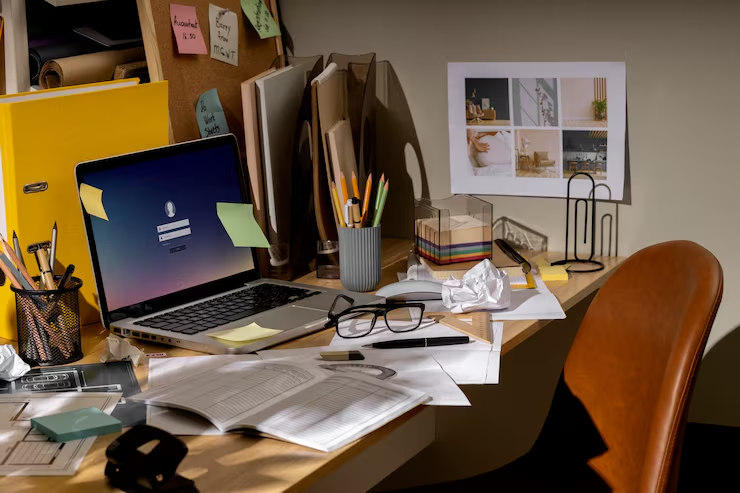
The shift to remote work has changed how professionals approach their daily routines and work environments. Whether you are a remote employee, freelancer, entrepreneur, or hybrid worker, having the right work from home essentials can make a significant difference in your productivity, comfort, and overall wellbeing.
A well-equipped home office helps eliminate distractions, supports healthy work habits, and creates an environment where you can focus on important tasks. From ergonomic furniture and reliable technology to organizational tools and proper lighting, every component contributes to a more efficient workspace.
This guide explores the most important work from home essentials that can help you build a productive and comfortable home office setup.
Ergonomic Office Chair: The Foundation of Comfort and Health
An ergonomic office chair is one of the most important investments for any home office. Since remote workers often spend several hours seated each day, proper support is essential for maintaining comfort and reducing physical strain.
Unlike standard office chairs, ergonomic models are designed to support the natural curve of the spine while promoting healthy posture. Adjustable features allow users to customize the chair to fit their body and working style.
A quality ergonomic chair can help reduce back pain, neck tension, and fatigue while improving focus throughout the workday.
Benefits of Proper Lumbar Support
Lumbar support helps maintain spinal alignment and reduces pressure on the lower back during extended periods of sitting.
Adjustable Features for Personalized Comfort
Seat height, armrests, headrests, and recline settings allow users to create a seating position that supports long-term comfort and productivity.
Adjustable Standing Desk: A Healthier Way to Work
Sitting continuously throughout the day can negatively affect both physical health and energy levels. An adjustable standing desk provides flexibility by allowing users to alternate between sitting and standing positions.
This simple change can improve circulation, reduce muscle stiffness, and promote better posture during work hours.
Modern standing desks also provide ample workspace while maintaining a clean and professional appearance.
Benefits of Alternating Between Sitting and Standing
Changing positions throughout the day helps reduce physical fatigue and encourages movement, which supports overall wellbeing.
Improving Workplace Ergonomics
An adjustable desk allows users to position their workstation at the most comfortable height, reducing strain on the neck, shoulders, and wrists.
High-Performance Laptop or Desktop: Reliable Daily Performance
Your computer serves as the core of your home office setup. Reliable performance is essential for managing emails, attending virtual meetings, creating content, and completing daily work tasks efficiently.
Choosing the right device depends on your workload and professional requirements. While some users require advanced processing power, others may prioritize portability and battery life.
A dependable computer helps ensure smooth workflows and minimizes interruptions caused by slow performance or technical issues.
Choosing the Right Device for Your Needs
Consider factors such as processing speed, memory, storage capacity, and portability when selecting a computer for remote work.
Supporting Long-Term Productivity
A reliable computer reduces downtime and allows you to focus on your work without unnecessary technical frustrations.
External Monitor or Dual Monitor Setup: Work Smarter with More Screen Space
Additional screen space can significantly improve productivity, especially for professionals who frequently multitask or work with multiple applications simultaneously.
An external monitor provides a larger viewing area, making it easier to manage projects, compare documents, and attend virtual meetings while remaining productive.
For many remote workers, a dual-monitor setup further enhances workflow efficiency and organization.
Benefits of Larger Displays
More screen space reduces the need to constantly switch between tabs and applications, improving focus and efficiency.
Enhancing Multitasking Capabilities
Multiple monitors allow users to organize workflows more effectively and access information more quickly.
Ergonomic Keyboard and Mouse: Comfort Meets Efficiency
Typing and navigating computer applications are daily activities for most remote workers. Using ergonomic accessories can help reduce strain on the hands, wrists, and forearms.
These tools are designed to support natural positioning while improving comfort and precision during extended work sessions.
Investing in ergonomic peripherals can contribute to healthier work habits and better long-term comfort.
Reducing Wrist and Hand Strain
Ergonomic designs promote more natural hand placement and help minimize repetitive stress injuries.
Improving Accuracy and Productivity
Comfortable input devices allow users to work more efficiently while maintaining better control and precision.
Noise-Canceling Headphones: Eliminate Distractions
One of the biggest challenges of remote work is managing distractions. Household noise, conversations, and environmental sounds can interfere with concentration and productivity.
Noise-canceling headphones help create a more focused work environment by reducing unwanted background noise.
They are especially useful during virtual meetings, deep work sessions, and collaborative projects that require clear communication.
Creating a Distraction-Free Workspace
Reducing background noise allows workers to focus more effectively on important tasks.
Supporting Better Virtual Communication
High-quality headphones improve audio clarity during calls and meetings, making communication more effective.
Desk Organizer: Reduce Clutter, Improve Focus
A cluttered workspace often leads to mental distractions and decreased productivity. Desk organizers help maintain order by keeping supplies, documents, and accessories neatly arranged.
An organized workspace creates a more professional environment and helps workers stay focused on their priorities.
Benefits of a Clean Workspace
Reducing visual clutter promotes mental clarity and improves overall efficiency.
Keeping Essential Items Accessible
Organized storage ensures frequently used items remain easy to find and within reach.
Adjustable Desk Lighting: Reduce Eye Strain
Lighting plays a crucial role in maintaining comfort and productivity throughout the workday. Poor lighting can contribute to headaches, eye strain, and reduced concentration.
Proper desk lighting helps create a comfortable visual environment while supporting focus and efficiency.
Adjustable lighting options allow users to customize brightness levels based on tasks and surrounding conditions.
Improving Visual Comfort
Good lighting reduces eye fatigue and helps maintain concentration during long work sessions.
Creating the Right Working Environment
Balanced lighting contributes to a more pleasant and productive workspace.
High-Speed Internet and Reliable Router: Stay Connected
A stable internet connection is essential for remote work. From video conferencing and cloud applications to file sharing and collaboration tools, nearly every aspect of modern work depends on reliable connectivity.
Investing in quality networking equipment helps ensure consistent performance and fewer interruptions.
Supporting Seamless Communication
Reliable internet access allows workers to participate in virtual meetings without connectivity issues.
Enhancing Workflow Efficiency
Fast internet speeds improve file transfers, cloud access, and overall productivity.
Office Plants: Boost Mood and Productivity Naturally
Adding plants to a home office is a simple way to improve the overall atmosphere of the workspace. Natural elements can create a more inviting environment while supporting relaxation and focus.
Many office plants require minimal maintenance, making them suitable for busy professionals.
Creating a More Pleasant Workspace
Greenery adds visual interest and helps make a workspace feel more welcoming.
Supporting Workplace Wellbeing
Plants contribute to a calmer environment that may help reduce stress during busy workdays.
Cable Management Solutions: Keep Your Desk Clean
Messy cables can create unnecessary clutter and make a workspace feel disorganized. Cable management solutions help keep cords neat, protected, and out of sight.
A cleaner workspace improves both aesthetics and functionality.
Reducing Visual Clutter
Organized cables contribute to a more professional and efficient office environment.
Improving Safety and Accessibility
Proper cable management reduces tripping hazards and makes equipment easier to access when needed.
Whiteboard or Planner: Stay Organised and On Track
Organization is essential for successful remote work. Whiteboards and planners provide visual systems for tracking tasks, deadlines, and goals.
These tools help workers stay focused, prioritize responsibilities, and maintain accountability throughout the day.
Managing Tasks Effectively
Writing down priorities helps create structure and improves productivity.
Tracking Goals and Deadlines
Visual reminders make it easier to stay organized and meet important commitments.
Conclusion
Building an effective workspace starts with selecting the right work from home essentials. Each component, from ergonomic furniture and reliable technology to organizational tools and proper lighting, plays an important role in supporting productivity and comfort.
By investing in equipment that enhances both efficiency and wellbeing, remote workers can create a workspace that supports long-term success. A thoughtfully designed home office not only improves daily performance but also contributes to a healthier and more enjoyable work experience.